
See it
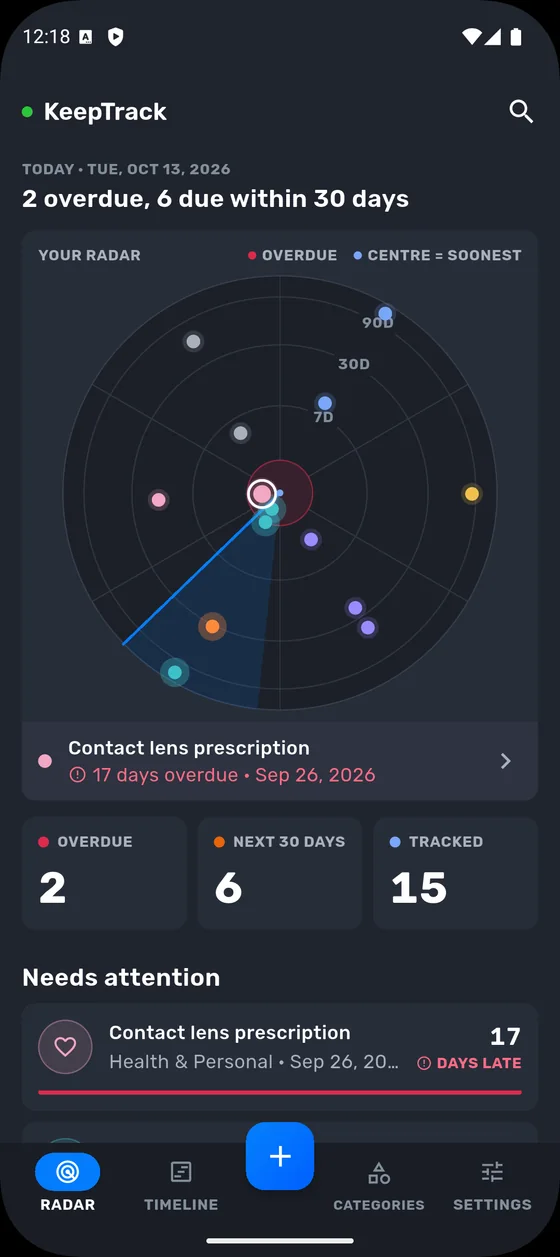
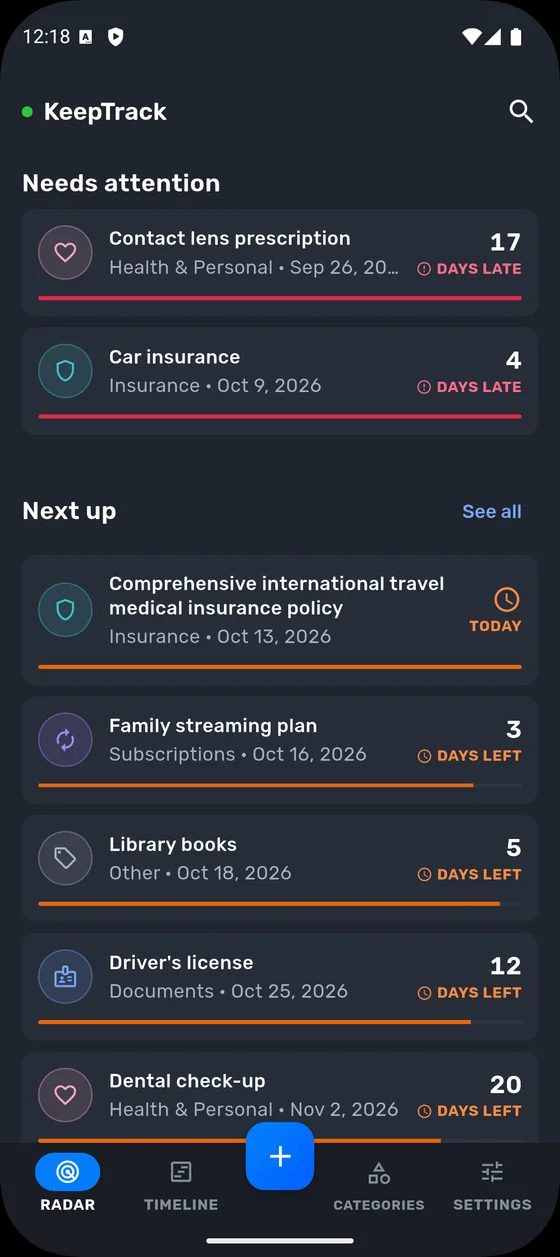
A live radar and a Next up list show what’s close, and overdue items are flagged first. One look and you know what needs doing this week.
Renewal & expiry tracker for Android
Passports, warranties, subscriptions, insurance — every date that quietly runs out, kept in one calm place. KeepTrack puts them on a live radar and taps you on the shoulder 30, 7 or 1 day before it’s too late.
FreeNo accountNo trackingStays on your phone
Every screen
Six screens, and each one earns its place. Swipe, use the arrows, or let it turn on its own.
The radar
Open KeepTrack and the first thing you see is a live radar. Every dot is something you track — the closer it sits to the centre, the sooner it’s due. Overdue items glow red in the core, so nothing slips by unnoticed.
What’s inside
Three things KeepTrack does well, so you no longer have to keep a spreadsheet, a calendar and a drawer full of receipts in sync.
A live radar and a Next up list show what’s close, and overdue items are flagged first. One look and you know what needs doing this week.
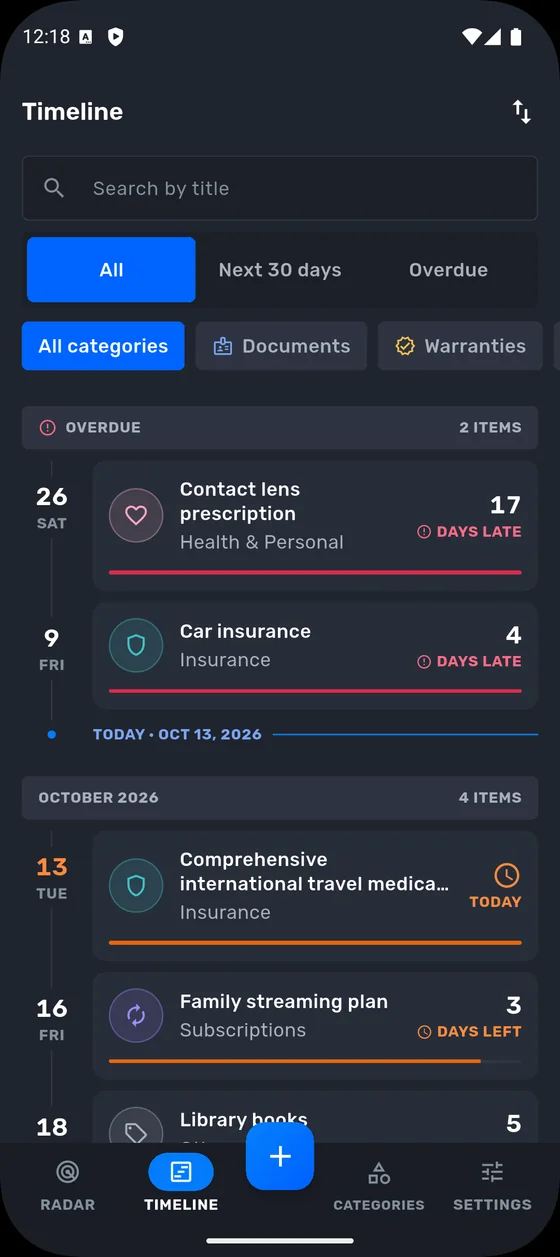
Every item on one timeline. Search by name, filter by overdue or the next 30 days, narrow by category, and sort nearest first, furthest first or A to Z.
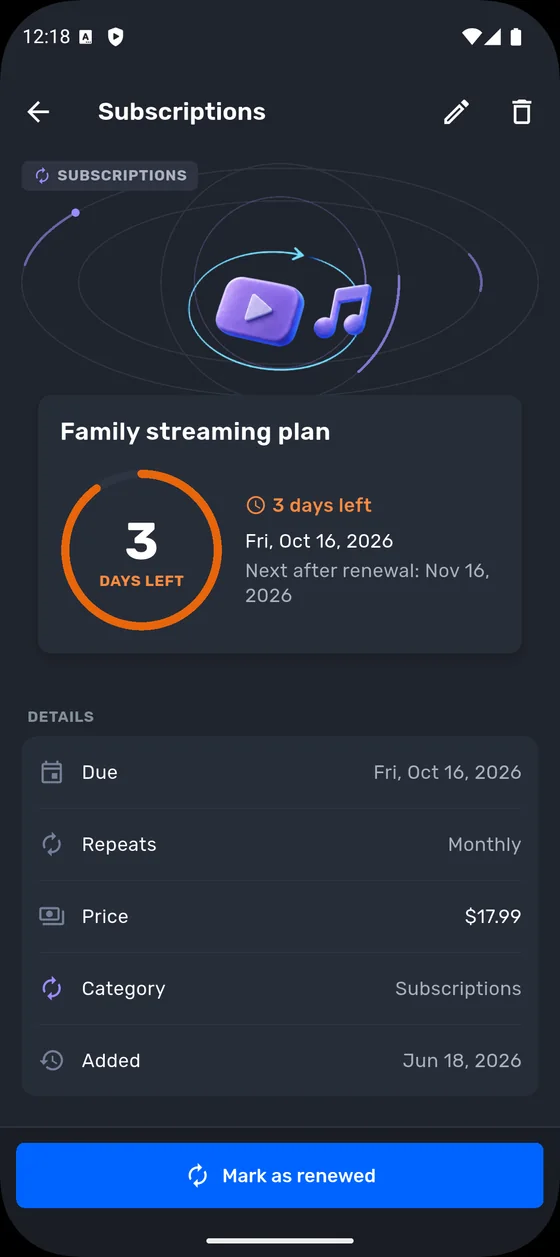
Confirm a renewal and monthly or yearly items move to their next date — short months included. One-time items take a new date in a moment.
Timeline
Overdue at the top, today clearly marked, then month by month into the future. Search by title, switch between All, Next 30 days and Overdue, and filter by category in a tap.
Renewals
Open any item to see its countdown, its due date and what comes next. When a subscription or a policy renews, tap Mark as renewed: monthly and yearly items move forward on their own, and KeepTrack handles short months for you.
Reminders
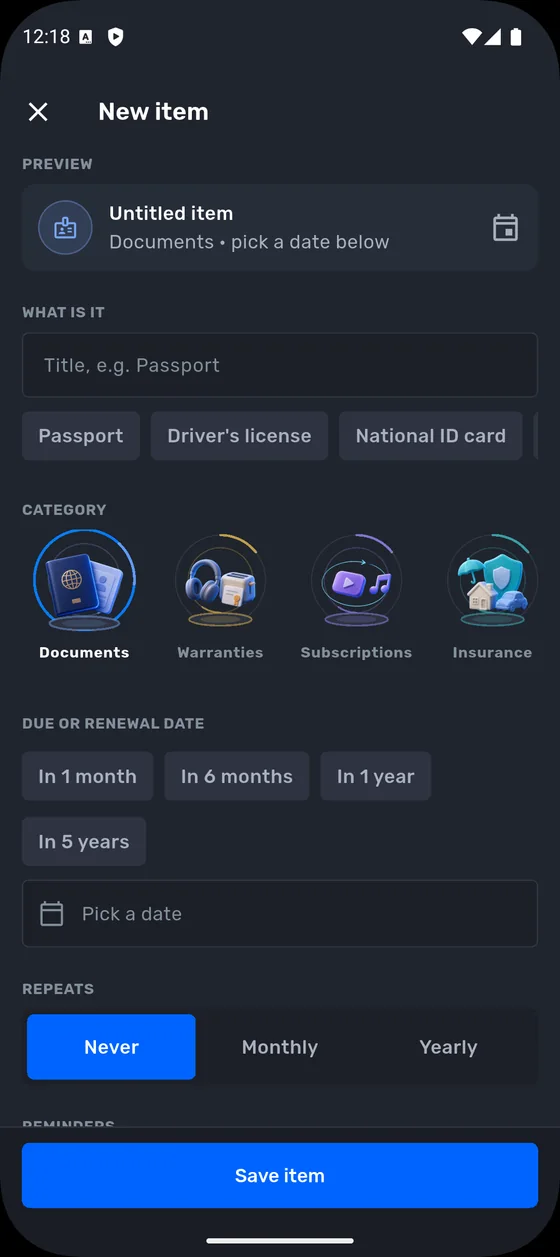
For each item, choose how early you want to hear about it: 30 days, 7 days or 1 day before. Reminders arrive around the time you pick, and the default time and alerts are set once, in Settings.
Private by design
No account, no sign-up and no tracking. Everything you add stays on your phone — KeepTrack doesn’t need to know who you are to remind you about your passport.
Getting started
Give it a name, pick a category and set the date. Quick titles like Passport or Driver’s license fill in for you.
Decide how early you want to know. Set the reminder time once in Settings and forget about it.
When it’s done, mark it renewed. Repeating items roll forward on their own; one-time items take a new date.
Questions
It’s free on Google Play. Install it, add your first date, and you’re set.
No. There’s no account, no sign-up and no tracking, and your items stay on your phone. More on privacy.
KeepTrack is an Android app, available on Google Play.
You choose for each item: 30 days, 7 days or 1 day before the date. They arrive around the time you set, and you can change the default time and alerts in Settings.
Tap Mark as renewed. Monthly and yearly items move to their next date automatically — if the next month is shorter, KeepTrack picks a valid date for you. One-time items simply take a new date. Try it on the features page.
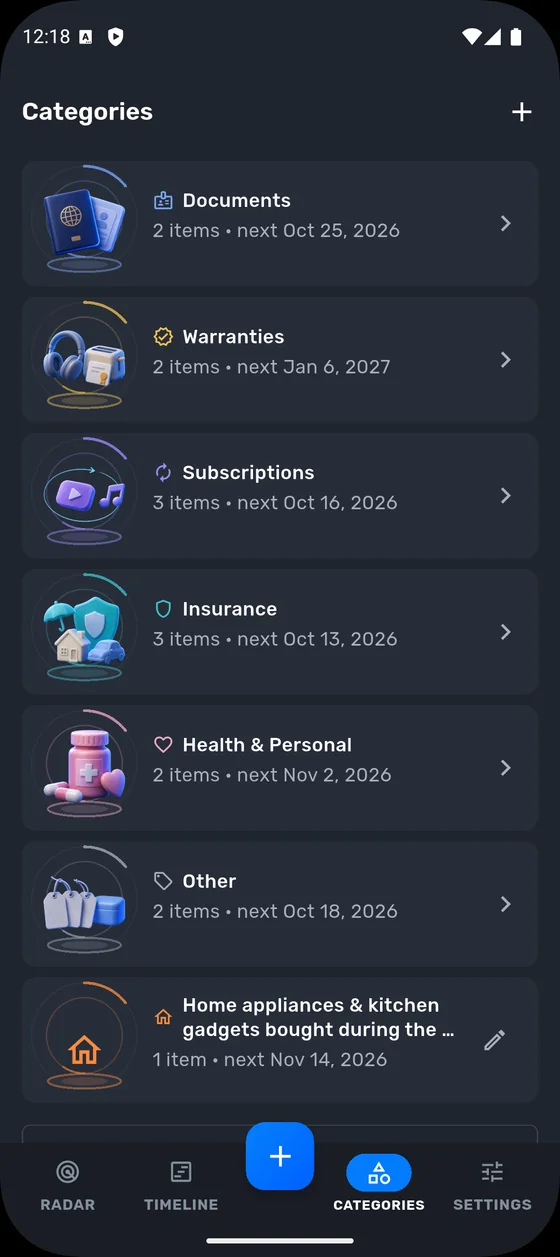
Yes. Alongside the built-in ones — documents, warranties, subscriptions, insurance, health and everyday items — you can create your own with a name, an icon and a colour.
Yes. Record a price and currency for subscriptions and contracts, and add notes for policy numbers, where the receipt is kept, or who to call.
A passport, a warranty or a subscription — add it in seconds and let KeepTrack keep track for you.